Skip to content

Create everything with one prompt.

Text, images and video — in one AI workspace.

Model choice built in

One request, three formats

Start with an idea. Turn it into text, image or video.

Describe the task once, then shape it into the format you need: launch copy, campaign visuals or a short social video.

01
Output / 01Generated
Create a launch campaign for a premium smart speaker: landing copy, product visuals and a short vertical video.

Landing / Draft 03

Start with one prompt

Headlines, offers and page structure without starting from a blank page.

Text models

Launch copy

Headlines, offers and page structure without starting from a blank page.
02

Image models

Product frames

A visual direction for ads, thumbnails and social posts.

Scene / 03Loop
03

Video models

Social video

Scenes, pacing and motion direction for a short video.

PromptX Canvas

Build the workflow. Bring the idea to life.

Workflow preview · Interactive canvas is available on desktop

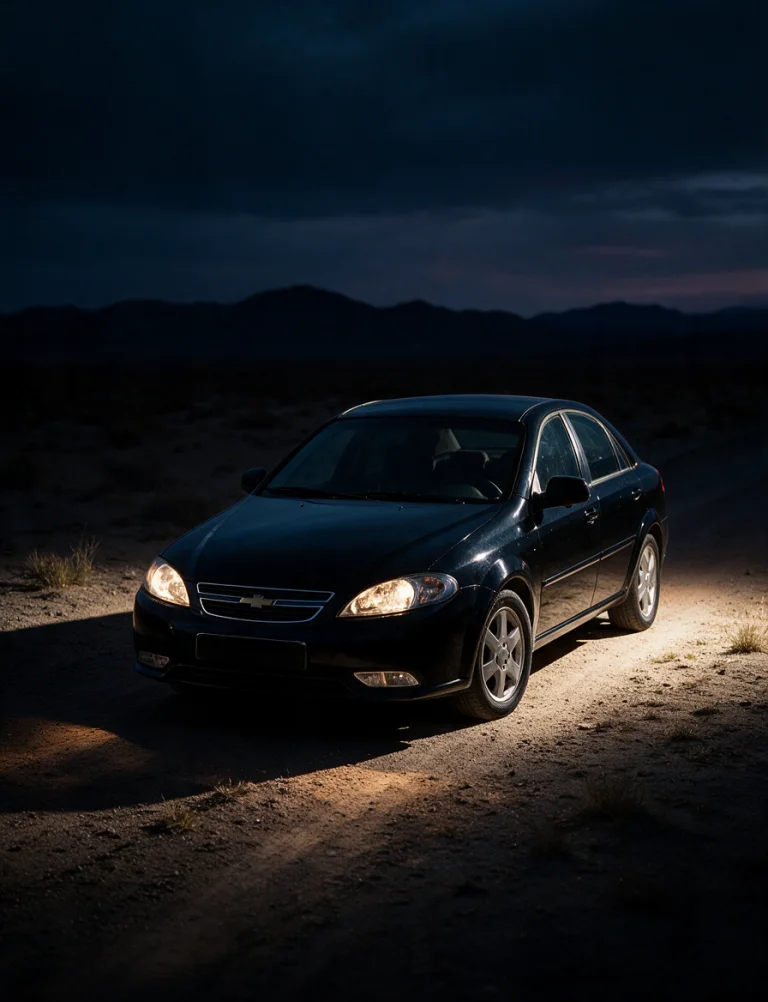
  1. Reference

    A black sedan lit by its headlights on a desert road at blue hour

    Car plate

  2. Prompt

    Generate the subject

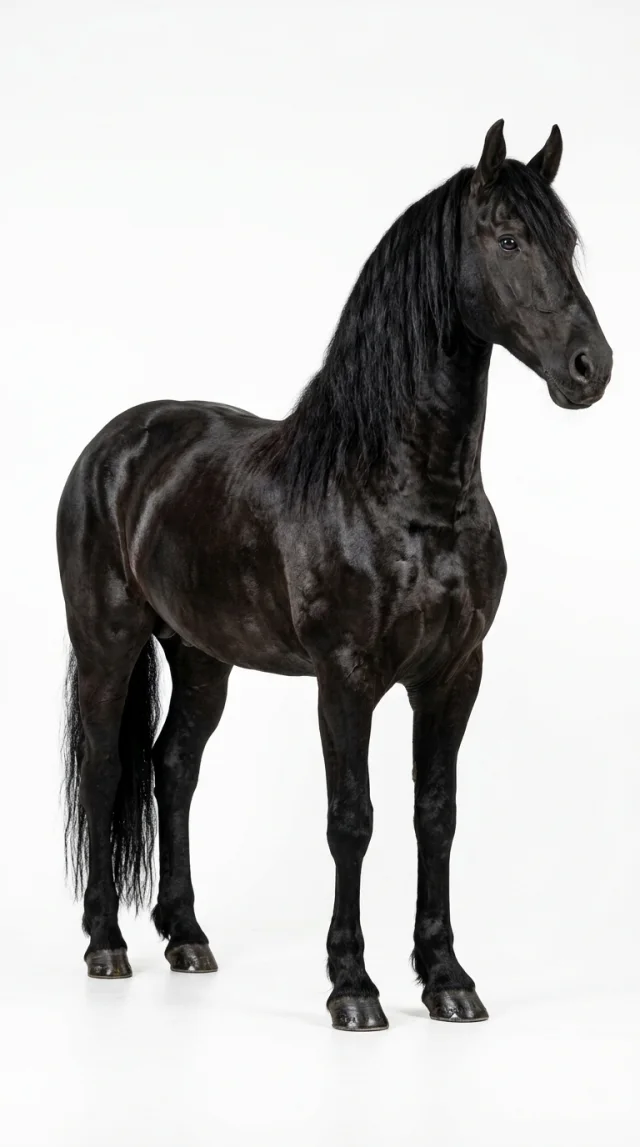
    Hyperrealistic full-body black horse on a pure white studio background. Glossy coat, muscular anatomy, sharp focus and professional lighting.

  3. Image

    Nano Banana Pro

    Ready
    A glossy black horse standing on a pure white studio background

    Black horse reference

  4. Prompt

    Build the scene

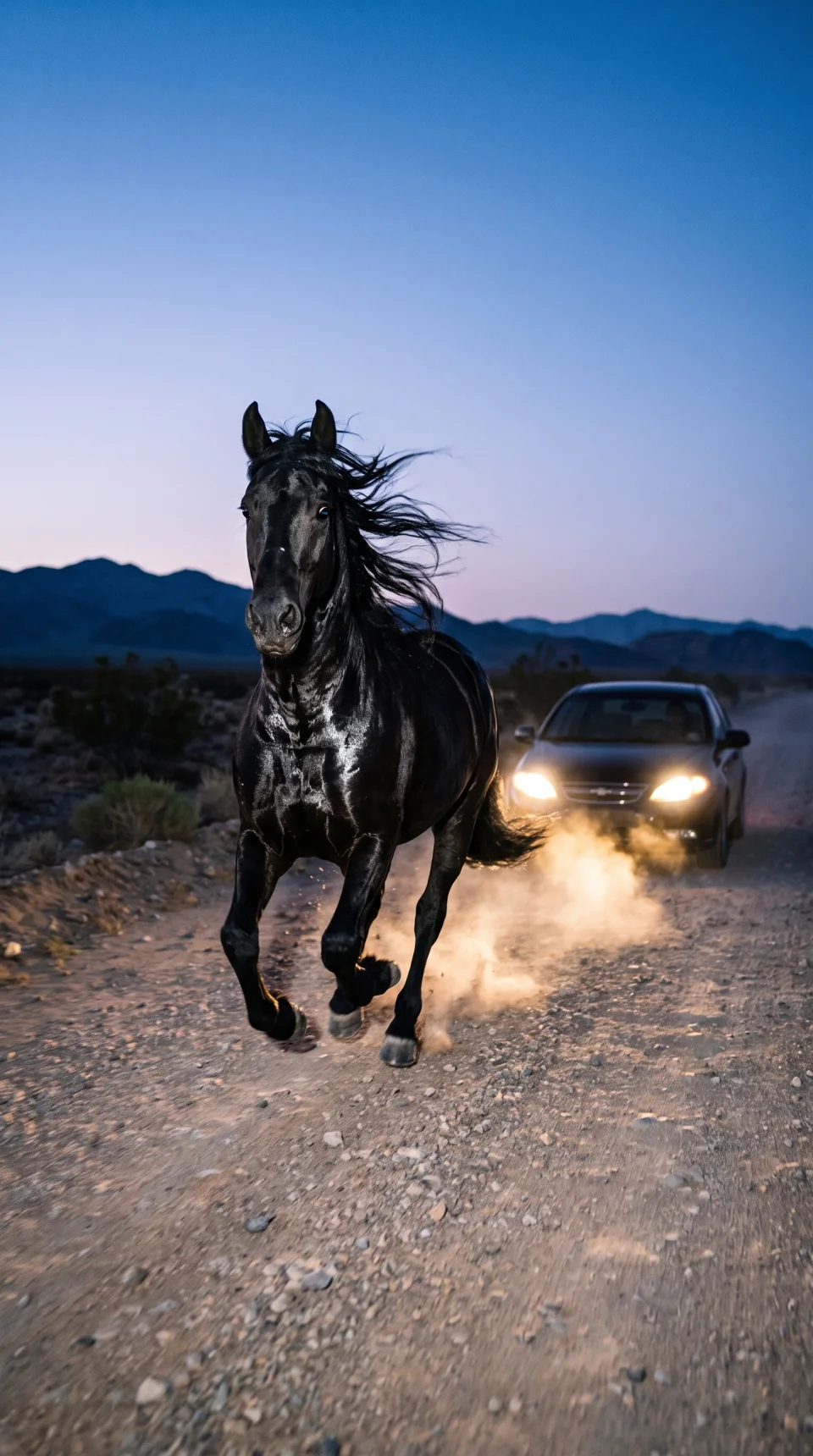
    Create a cinematic blue-hour tracking shot: a glossy black horse gallops toward camera on a rocky desert road, with a black sedan 5–8 m behind. Low 28–35 mm angle, direct flash, unified headlights, dust, dark mountains, vertical 4:5, photorealistic.

  5. Image generation

    Nano Banana Pro

    Ready
    A glossy black horse galloping ahead of a black sedan on a desert road at blue hour

    Blue-hour chase

    The references and direction become one cinematic frame.

  6. Prompt

    Animate the frame

    Animate as a cinematic slow-motion tracking shot at 60–70% speed. Keep the horse galloping naturally, the sedan following at a fixed distance, dust and mane in motion. Camera moves backward with a gradual zoom-out. Preserve subjects, lighting and composition; no morphing or extra objects.

  7. Video generation

    Seedance 2

    Ready
    Video of a black horse galloping ahead of a sedan on a desert road

    Cinematic tracking shot

    A finished slow-motion sequence with stable subjects and natural motion.

Model catalog

Tell us what you want to create. PromptX picks the model.

Text, image or video: choose the result and see matching models, required input and expected output before you generate.

Text models

For strategy, copy, code and structured drafts.

  • GPT01
  • Claude02
  • Gemini03

Image models

For product shots, covers, ads and campaign frames.

  • GPT Image01
  • Nano Banana02
  • Flux03

Video models

For reels, teasers, product reveals and motion concepts.

  • Seedance01
  • Veo02
  • Kling03

Who it is for

For teams creating across formats.

01

Content creators

Turn one idea into posts, covers, scripts and video drafts.

02

Marketing teams

Test creative directions faster and compare variations in one place.

03

Online stores

Move from product photo to ad, banner and short video.

04

Startup teams

Prepare copy, visuals and launch assets without stitching tools together.

Start creating

Try PromptX on a real task.

Start free: write a request, choose a format and see text, image and video come together in one place.

View plans

FAQ

Common questions before you start.

A quick look at how models, formats, files and billing work inside PromptX.

Can I start without setting up a project?

Yes. Write the task in chat, choose the output format and pick a model. You do not need to create a separate project or prepare a complex brief first.

How do I understand generation cost?

Cost depends on the model and format: text, image and video use tokens differently. Your balance, subscription and token packs are managed in the account.

How are text, image and video models different?

Text models are best for strategy, code and drafts. Image models create covers, ads and product frames. Video models are for reels, teasers and short motion scenes.

Can I use my own files and references?

Yes, when the selected model supports it. You can attach references, continue from chat history and refine the result with follow-up prompts.